SeAT - forum: Issues logging in as a character after installation of Seat - Page 1
Kovalski
13 May 2025 07:03
Hello,
I installed Seat on a VDS (LXC container) using the Docker script, and everything seemed to work fine at first. However, I am unable to log in as a character.
When I use the admin login link generated in the terminal, I can log in without any issues, and everything appears to be fine.
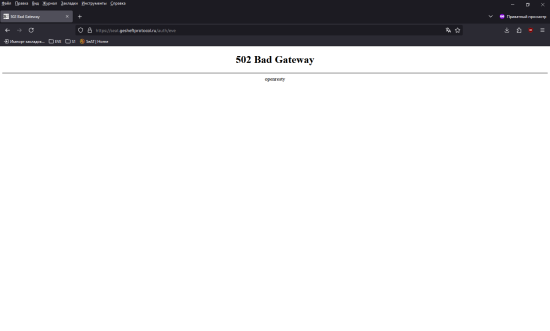
When I try to log in as a character, I go to the URL seat.domain.com/auth/login. The login screen appears, but when I click "Log in with EVE Online", I am redirected to seat.domain.com/auth/eve, and I receive a "502 Bad Gateway" error.
I have very little experience with this and have been working on this issue for about two months (not every day, but intermittently). What could be causing this problem?
Thank you in advance for your help.
Best regards
Asrik
13 May 2025 15:18
did you add the ESI to the SeAT?
https://eveseat.github.io/docs/configuration/esi_configuration/
Kovalski
14 May 2025 03:40
yep - all done and look like all connected correct
but log-in dont work
Asrik
14 May 2025 16:49
You will need to get the logs..
Kovalski
15 May 2025 11:26
emm...need use
docker compose logs --tail 5 -f
docker compose logs --tail 10 -f
??
Asrik
15 May 2025 11:33
https://eveseat.github.io/docs/troubleshooting/
Should be this command
tail -f /var/www/seat/storage/logs/laravel-$(date +%Y-%m-%d).log
Kovalski
16 May 2025 15:10
root@SEAT-TEST:~tail -f /var/www/seat/storage/logs/laravel-$(date +%Y-%m-%d).log
tail: cannot open '/var/www/seat/storage/logs/laravel-2025-05-16.log' for reading: No such file or directory tail: no files remaining root@SEAT-TEST:~tail -f /var/www/seat/storage/logs/eseye-$(date +%Y-%m-%d).log
tail: cannot open '/var/www/seat/storage/logs/eseye-2025-05-16.log' for reading: No such file or directory tail: no files remaining root@SEAT-TEST:~docker compose exec front php artisan seat:admin:diagnose
no configuration file provided: not found root@SEAT-TEST:~#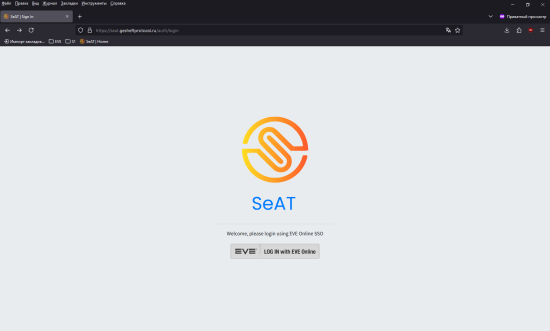
Asrik
16 May 2025 15:26
did you go into the docker container?
Asrik
16 May 2025 15:26
docker compose exec front shtail -f /var/www/seat/storage/logs/laravel-$(date +%Y-%m-%d).log
Kovalski
16 May 2025 15:27
root@SEAT-GESH:~docker compose exec front sh
no configuration file provided: not found root@SEAT-GESH:~tail -f /var/www/seat/storage/logs/laravel-$(date +%Y-%m-%d).log
tail: cannot open '/var/www/seat/storage/logs/laravel-2025-05-16.log' for reading: No such file or directory tail: no files remaining root@SEAT-GESH:~#
Asrik
16 May 2025 15:28
you need to do into the folder were you installed SeAT
cd /opt/seat-docker/
thats an exsample
Kovalski
16 May 2025 15:29
root@SEAT-GESH:~cd /opt/seat-docker
root@SEAT-GESH:/opt/seat-dockerdocker compose exec front sh
$ tail -f /var/www/seat/storage/logs/laravel-$(date +%Y-%m-%d).log33 /var/www/seat/vendor/laravel/framework/src/Illuminate/Console/Command.php(211): Illuminate\\Container\\Container->call(Array)
34 /var/www/seat/vendor/symfony/console/Command/Command.php(326): Illuminate\\Console\\Command->execute(Object(Symfony\\Component\\Console\\Input\\ArgvInput), Object(Illuminate\\Console\\OutputStyle))
35 /var/www/seat/vendor/laravel/framework/src/Illuminate/Console/Command.php(180): Symfony\\Component\\Console\\Command\\Command->run(Object(Symfony\\Component\\Console\\Input\\ArgvInput), Object(Illuminate\\Console\\OutputStyle))
36 /var/www/seat/vendor/symfony/console/Application.php(1096): Illuminate\\Console\\Command->run(Object(Symfony\\Component\\Console\\Input\\ArgvInput), Object(Symfony\\Component\\Console\\Output\\ConsoleOutput))
37 /var/www/seat/vendor/symfony/console/Application.php(324): Symfony\\Component\\Console\\Application->doRunCommand(Object(Laravel\\Horizon\\Console\\WorkCommand), Object(Symfony\\Component\\Console\\Input\\ArgvInput), Object(Symfony\\Component\\Console\\Output\\ConsoleOutput))
38 /var/www/seat/vendor/symfony/console/Application.php(175): Symfony\\Component\\Console\\Application->doRun(Object(Symfony\\Component\\Console\\Input\\ArgvInput), Object(Symfony\\Component\\Console\\Output\\ConsoleOutput))
39 /var/www/seat/vendor/laravel/framework/src/Illuminate/Foundation/Console/Kernel.php(201): Symfony\\Component\\Console\\Application->run(Object(Symfony\\Component\\Console\\Input\\ArgvInput), Object(Symfony\\Component\\Console\\Output\\ConsoleOutput))
40 /var/www/seat/artisan(35): Illuminate\\Foundation\\Console\\Kernel->handle(Object(Symfony\\Component\\Console\\Input\\ArgvInput), Object(Symfony\\Component\\Console\\Output\\ConsoleOutput))
41 {main}
"}
Asrik
16 May 2025 15:34
I think you might have to turn on debug mode on...
once enabled, go back to the https://seat.gesheftprotocol.ru/auth/eve so you can generate the log, get the logs and then turn debug off..
if you leave it one it will create a very large log file...... very very large... which you dont want
Kovalski
16 May 2025 16:27
what i can quit from docker compose exec front sh
console?
Asrik
16 May 2025 16:32
I think is exit
Kovalski
16 May 2025 16:37
look like i do something wrong
Asrik
16 May 2025 17:25
looks like your seat is able to connect to the ESI.. So i dont think it was a DNS, network or traefik coursing the issue...
Sorry.. But im not sure. The other devs here should able to help..
btw.. you might want to delete the container and start again if you havent done it.
Kovalski
17 May 2025 17:09
aviable if you conect to me on RDP or something and look from inside?
i was do reinstal many times and do baremetal installation - look like something wrong with php
I was install plex, nextcloud (conect from domain) - all work correct, but seat - something wrong with web, and when i install seat baremetal version in lxc container - i cant install php correct... Mby i use incorrect template for lxc container?
Asrik
17 May 2025 18:37
maybe.. if you can, install a vm with docker..
Kovalski
20 May 2025 15:24
host - proxmox
VM - ubuntu-25.04-desktop-amd64
same problem - i see welcome page but cant log-in
Asrik
20 May 2025 15:25
Then i dont think its an issue with the docker... it might be with a network issue.. maybe firewall issue?
also personally, better do use server edition..
Kovalski
21 May 2025 16:22
it just for fast test
We've already looked into a few options, but maybe there are other ways to diagnose and fix the server error? I'm not very experienced with Linux or server stuff yet, so I'd really appreciate any tips or suggestions.